
How to Check LDA Approved Map in Lucknow 2026 — Complete Verification Process, Online Building Plan Status & Approved Colony List
Sources: Lucknow Development Authority (ldalucknow.in), UP Online Building Plan Approval System (map.up.gov.in & upobpas.in), LDA OneMap GIS Portal (gis.ldalucknow.in), LDA Citizen Portal (registration.ldalucknow.in), UP Bhulekh (upbhulekh.gov.in), UP RERA (up-rera.in), Awas Bandhu portal, Hindustan Times Lucknow, Oneindia News (Fastpass announcement January 2026), LDA Building Bylaws. All portals and fee figures verified May 2026.
"LDA approved" is the single most misused phrase in Lucknow real estate. Builders use it on hoardings. Plot dealers shout it on phone calls. Brokers stamp it on flyers. But almost none of them tell you how to actually verify the claim — because in a large number of cases, the claim simply isn't true.
In 2025 and 2026, the Lucknow Development Authority moved building-plan approvals fully online through the UP government's map.up.gov.in portal, launched the Fastpass system for instant clearance of small plots, and made the LDA OneMap GIS portal at gis.ldalucknow.in publicly searchable for sector-wise land use. For the first time, every Lucknow buyer can independently verify whether a plot, colony or building plan is genuinely approved — in under 15 minutes — without paying a broker or middleman.
This guide walks you through the exact verification process: how to check an LDA-approved map online, how to confirm if a colony is on the LDA-approved list (or the blacklist of 241+ illegal colonies), how the online building plan status system works in 2026, and what every Lucknow buyer should do before paying an advance.
⚠️ Why LDA Map Verification Matters — Before You Pay a Single Rupee
- A registered sale deed alone does not protect you. If the underlying plot/colony has no LDA-approved layout or building plan, the structure can be demolished years after registry — as happened in Anant Nagar (December 2025) and Sushant Golf City (April 2025)
- Bank loans get rejected on unapproved properties. SBI, HDFC, and ICICI all run independent LDA / BPAS checks. If your plot is in an unapproved colony, you lose access to home loan financing — and so does any future buyer
- The verification is free and online. map.up.gov.in, gis.ldalucknow.in, and registration.ldalucknow.in are all official portals with zero cost. Anyone charging you for "LDA verification" is overcharging
- Fastpass cuts approval time for small plots from weeks to minutes. Under the new system launched in early 2026, residential plans up to 100 sqm and commercial up to 30 sqm are auto-approved within minutes if all conditions match
The Three Different "Approvals" — Don't Confuse Them
Before you start verification, understand that there are three different LDA approvals — buyers regularly confuse them, and dealers exploit the confusion.
Colony / Layout Approval — Is the Colony Itself Legal?
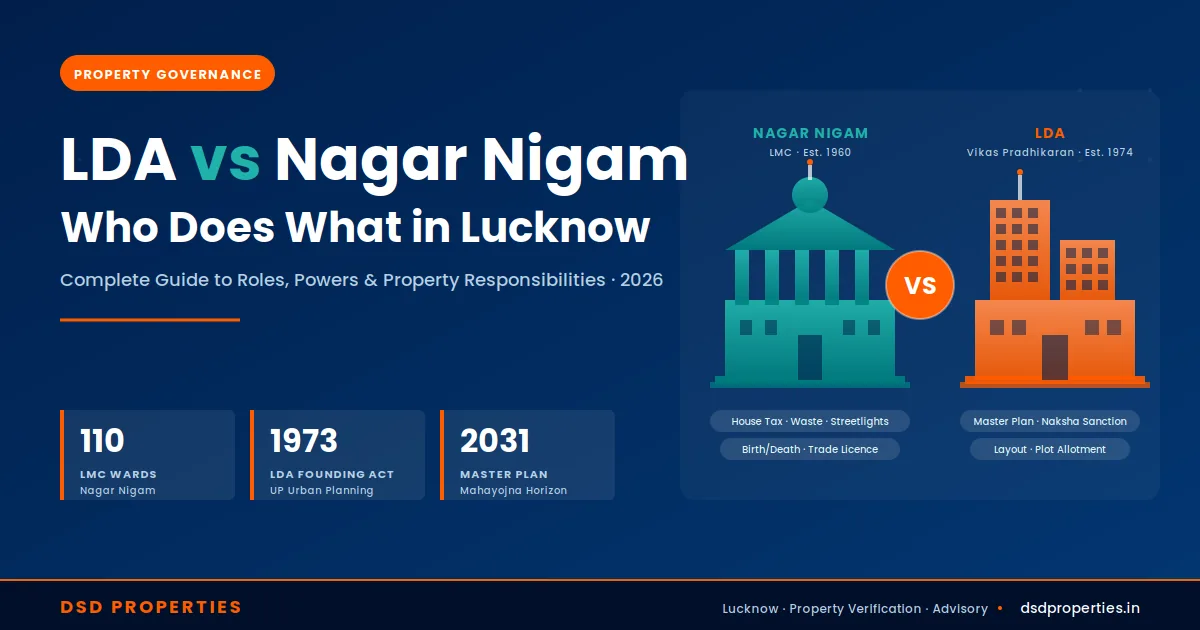
This is approval of the entire colony's layout — the road network, plot demarcation, green areas, sewer lines, electricity poles. Without colony approval, no individual plot inside can ever be legally constructed on, regardless of what the seller says. LDA's blacklist of 241+ illegal colonies covers neighbourhoods that were never approved and never will be.
The Lucknow Master Plan and zoning regulations determine which lands can become residential colonies in the first place. A plot that sits in an agricultural-zoned area cannot become a residential colony just because someone built compound walls on it.
📍 Where to verify
LDA OneMap GIS portal at gis.ldalucknow.in shows sector-wise approved layouts. LDA Master Plan Map: ldalucknow.in/master-plan-map. Always cross-check against the LDA illegal colony blacklist before any payment.
Building Plan / Map Approval — Is YOUR Construction Plan Approved?
This is approval of the specific construction drawing — the proposed building's setbacks, height, FAR (Floor Area Ratio), parking, ventilation, and structural details. Submitted online through the UP government's central BPAS portal at map.up.gov.in. Every legal construction in Lucknow must have a sanctioned building plan from LDA before construction begins.
Without a sanctioned building plan: (1) you cannot get electricity and water connections legally; (2) any home loan is blocked; (3) LDA can issue a stop-work notice or demolition order at any stage; (4) the building cannot get a Completion Certificate or Occupancy Certificate later.
📍 Where to verify
map.up.gov.in is the single UP-wide BPAS portal covering LDA, KDA, GDA, ADA, AFDA, AGDA, PDA and all other UP development authorities. Alternate URL: upobpas.in. AutoDCR software auto-reads CAD drawings against the bylaws.
Completion Certificate & Occupancy Certificate — Has the Construction Been Inspected?
After construction is complete, LDA must issue a Completion Certificate (CC) — confirming the building was actually built as per the approved plan — and an Occupancy Certificate (OC) granting permission to legally occupy. The CC must be applied for within 5 years of building plan approval, otherwise the permit lapses and the entire map process restarts.
Many "ready-to-move" flats in Lucknow are technically illegal to occupy because the builder never obtained the OC. This becomes a major issue at resale time — buyer banks routinely reject loans on OC-less flats.
📍 Where to verify
Builder or seller must produce both CC and OC. For RERA-registered projects, status is also visible on up-rera.in.
How to Check LDA Approved Map in Lucknow — Step by Step
Follow this exact sequence. Each step takes only a few minutes, requires no payment, and uses only official portals.
Step 1 — Confirm the Land Use Classification on LDA OneMap GIS
Visit gis.ldalucknow.in and open the Sector Explorer. Search for the exact location by sector name (e.g., Gomti Nagar Vipul Khand, Jankipuram Vistar, Sushant Golf City). Confirm whether the parcel is zoned residential, commercial, mixed-use, green belt, or agricultural under the Lucknow Master Plan 2031. Agricultural-zoned land cannot be sold as a residential plot without a Section 80 conversion order from the SDM or District Magistrate.
📍 gis.ldalucknow.in — LDA OneMap Portal & Sector ExplorerStep 2 — Use the "Know Your Land Use" Service on Citizen Portal
Log in at registration.ldalucknow.in and use the "Application to Know Your Land Use" service. This is the official LDA citizen service for confirming what use is permitted at a specific address or plot ID. Cross-verify this against what the seller is claiming.
📍 registration.ldalucknow.in — Citizen Login → Know Your Land UseStep 3 — Verify the Building Plan Approval on map.up.gov.in (BPAS)
Visit map.up.gov.in or upobpas.in — the UP-wide Online Building Plan Approval System. Search by file number, applicant name, or plot location. The portal shows: approval status, sanctioned plan, FAR utilised, setbacks, height, approved/rejected stamp, date of approval, and validity. Ask the seller for the file/reference number — a legitimate seller has this readily available.
📍 map.up.gov.in — UP Building Plan Approval SystemStep 4 — Cross-Check Property Details on LDA Property Search
For LDA-allotted plots specifically (Gomti Nagar, Jankipuram, Vrindavan Yojna, Anant Nagar, Basant Kunj, Atal Nagar, etc.), use ldalucknow.in/property-details to search by sector, plot number, or owner name. The system shows the LDA's official record of who the plot is allotted to. If the name differs from the seller, demand a written explanation.
📍 ldalucknow.in/property-details — LDA Property SearchStep 5 — Confirm Khatauni and Mutation on UP Bhulekh
For plots in revenue-village areas (Mohanlalganj, Malihabad, Bakshi Ka Talab, Kakori rural belts), visit upbhulekh.gov.in. Select Lucknow district, the correct tehsil, and the village. Search by Khasra/Gata number to view the current Khatauni — confirm the seller's name appears and the land type is recorded as Gair-Krishi (non-agricultural) if you intend residential use.
📍 upbhulekh.gov.in — UP Revenue RecordsStep 6 — Check RERA Registration for Builder Projects
For any builder-sold project (apartments, plotted townships, integrated colonies), verify the UP RERA registration at up-rera.in. Confirm the project's approved plan, possession timeline, and any complaints filed. RERA Section 3 makes registration mandatory for all projects above 500 sqm or 8 apartments.
📍 up-rera.in — UP RERA PortalStep 7 — Final Confirmation by Phone / Office Visit
If any of the above checks throw conflicting results, call the LDA helpline at 1800 1800 5000 or visit the LDA office at Sector 38A, 2A, Vipin Khand, Gomti Nagar, Lucknow 226010. Reference the specific plot number and file number. Always insist on getting the answer in writing.
📍 LDA Head Office — Gomti Nagar, Lucknow / 1800 1800 5000LDA Map Approval Verification Process — How Submission Actually Works in 2026
If you are not just verifying but also submitting a building plan for approval — for your own plot construction — here is exactly how the current 2026 process works.
Fastpass System — Small Plots, Instant Approval
The Yogi government launched the Fastpass system in early 2026 for quicker online approval of building plans. Under this regime, plans for residential buildings up to 100 square metres and commercial constructions up to 30 square metres are cleared within minutes through map.up.gov.in. LDA Vice-Chairperson Prathamesh Kumar announced the limits.
The process is fully digital: upload the building map and required data on map.up.gov.in. Specialised software checks the inputs against the bylaws. If conditions match — land use matches the master plan, road width within bounds, setbacks correct, height permitted, parking provisioned — the system auto-approves and issues a certified map and certificate.
Mandatory inputs: exact plot location; adjacent road lengths and widths; proposed building height; total covered area; front, side and rear setbacks; entry and exit gate details; parking space provision.
📍 Where to apply
map.up.gov.in — select Lucknow Development Authority (LDA), then Fastpass route for eligible plot sizes.
Standard Online Approval — Larger Plots, Through Registered Architect
For residential plots above 100 sqm or commercial above 30 sqm — outside the Fastpass envelope — the standard online process applies. LDA has reduced the map approval fee from ₹7–8 per sqm to ₹5–6 per sqm (a 10–20% reduction), and replaced the older Pre-DCR system with the simplified Awas Bandhu portal.
Any architect registered with the Council of Architecture (COA) in Lucknow can now create the building map in AutoCAD and submit it directly online. The AutoDCR software in the BPAS system auto-reads the CAD drawing against development control regulations. This is a major change — previously only a limited number of architects could operate Pre-DCR's technical complexity.
Documents required for standard submission: registered sale deed; latest Khatauni / mutation record; property tax receipts; layout approval / colony approval reference; site plan; building plan (CAD); structural drawings; architect's signature with COA registration number; identity and address proof of owner; PAN.
📍 Where to apply
map.up.gov.in (LDA jurisdiction) — submission via COA-registered architect using AutoCAD via Awas Bandhu integration.
Mandatory Compliance Inputs — What the Bylaws Demand
Whether you submit via Fastpass or standard route, the plan must comply with current LDA building bylaws. Key 2026 compliance items:
Setbacks: front, side and rear setbacks per plot frontage and building height bracket. FAR (Floor Area Ratio): varies by zone and road width — LDA is reportedly revising FAR and mixed-use norms with higher incentives for plots along metro and 45 m expressways. Road width: measured between compound walls, not from centre line — a common error.
Rainwater harvesting: mandatory on plots 300 sqm or larger — tanks and pipes must appear in the plan. Fire safety: fire stairs and pumps mandatory if the building is more than 15 m tall or houses more than 12 flats. Tree planting: two shade trees on every plot over 300 sqm, with photographic proof for the completion file. Disabled access: ramps, handrails and a ground-floor toilet for public buildings and flats above 12 units.
Structural & fire audit: every 10 years by a consultant on the LDA panel, with report submitted online.
📍 Where to access
LDA Building Bylaws PDF: ldalucknow.in/building-bylaws. Zoning Regulations PDF: ldalucknow.in (under Planning section).
Check If Property Map Is Approved by LDA — The 3-Minute Test
Walking through a property tomorrow? Use these three quick tests to flag obvious red flags before deeper investigation.
The 3-Minute Field Check
- Ask the seller for the BPAS file number on the spot. A genuine seller with approved plans has the file number in WhatsApp, in their phone notes, or printed on the sanctioned drawing. Hesitation, vagueness, or "I'll send it later" responses are red flags
- Pull up gis.ldalucknow.in on your phone. Search the location by sector. If the parcel does not show in any LDA-allotted sector, it is either private land in a master-plan-approved zone (verify zoning) or in an unapproved colony
- Cross-check the colony name against LDA's illegal colony list. A simple Google search "[colony name] LDA illegal colony list" will surface news reports on demolition drives and blacklisted areas. The 241+ illegal colony list is publicly known
- Look at the construction physically. Setback violations, road encroachment, no proper drainage entry, or compound walls touching adjacent plots are visible signs of unapproved construction
- Call the LDA helpline 1800 1800 5000 with the exact plot details. They will tell you whether the colony / plot is in LDA records — a 2-minute call that has saved many buyers from disaster
LDA Approved Colony List in Lucknow — What's In and What's Out
LDA does not publish a single static "approved colony list" — rather, it publishes a detailed master plan, sector-wise allotment records, and a blacklist of unapproved colonies. Understanding both sides clarifies whether your target locality is safe.
LDA-Approved Townships and Schemes (Major Notified Schemes)
- Gomti Nagar & Gomti Nagar Extension (Vipul Khand, Vibhuti Khand, Vishwas Khand, Vinay Khand, etc.) — flagship LDA development
- Jankipuram & Jankipuram Vistar / Extension — north Lucknow LDA sectors
- Vrindavan Yojna — south Lucknow LDA scheme
- Vasant Kunj & Basant Kunj Yojana (Sectors I, N, etc., on Hardoi Bypass) — LDA + PMAY integrated
- Anant Nagar Yojana — recent LDA plot scheme, 332 plots opened July 2025
- Atal Nagar Awasiya Yojana (Phase 2) — newer LDA scheme
- Sharda Nagar Extension Scheme — LDA + PMAY integrated
- LDA IT City (CG City), Sultanpur Road — IT/SEZ cluster within 3,490-acre Chak Gajaria City master plan
- Sushant Golf City (operated by Ansal API, but within LDA master plan jurisdiction) — verification of specific layouts still mandatory
- Plots in Vrindavan, Amausi, Chinhat, Mahanagar, Alambagh, Indiranagar — LDA has notified 626 residential plots across these colonies in recent allotments
🚨 Areas with Documented LDA Demolition Action 2024–2026
LDA carried out major demolition drives in Anant Nagar near Mohan Road (December 2025), Gosaiganj and Dubagga (November 2025), and Sushant Golf City unapproved 38-acre layout (April 2025). Always verify the specific plot's LDA approval status before assuming "Sushant Golf City" or "Anant Nagar" automatically means safe — both names cover both approved and unapproved sections.
The 241+ illegal colony blacklist maintained by LDA covers neighbourhoods that were never approved and where regularisation has been ruled out. Per LDA's February 2026 rule changes, even 30-foot private developer roads no longer qualify for compounding — only 7.5-metre government-built roads do. Properties in blacklisted colonies face: zero resale value, utility disconnection mandates, bank loan blacklisting, and demolition risk under UP Urban Planning Act Sections 26, 27, 28. Refer to DSD Properties' detailed LDA Illegal Colony guide for the complete list.
LDA Online Building Plan Status — Tracking Your Application
Once a building plan is submitted on map.up.gov.in, you can track its status at any stage. Here is how the workflow operates in 2026.
Submission Acknowledgement & File Number Generation
Once your COA-registered architect uploads the CAD drawing and data, the BPAS system generates a unique file number. Save this — it is your tracking ID for every future check.
📍 map.up.gov.in → Application Status (login required)Automated AutoDCR Scrutiny
AutoDCR software reads the CAD drawing and maps it against LDA's development control regulations. The system checks setbacks, FAR, height, parking, and other parameters automatically. Routine cases (Fastpass-eligible) are auto-approved at this stage.
📍 Status: "Under Auto-Scrutiny"Manual Verification by LDA Town Planner (Non-Fastpass)
For plans outside the Fastpass envelope, the file is routed to the Town Planning Section of LDA for manual review. The town planner may raise objections, request clarifications, or call for site inspection.
📍 Status: "Under Review by Town Planner"Fee Payment & Approval Letter Generation
Once all clarifications are addressed and the file is cleared, the system generates a fee challan (₹5–6 per sqm on built-up area under the revised fee structure). Pay online; the approval letter and digitally-signed sanctioned plan are then issued on the portal.
📍 Status: "Fee Demand" → "Approved" → "Sanctioned Plan Issued"5-Year Construction Window
Construction must commence within the approval validity period and the Completion Certificate must be applied for within 5 years of approval. If you miss this window, the permit lapses and the entire map approval process restarts.
📍 Track countdown on map.up.gov.in dashboardCompletion Certificate & Occupancy Certificate Application
On construction completion, apply for CC online via the same portal. LDA conducts a final site inspection to confirm the as-built structure matches the sanctioned plan. CC + OC then become available for download.
📍 map.up.gov.in → Completion Certificate moduleRed Flags That Indicate Map / Colony Is NOT LDA Approved
🚨 Sign 1 — Seller Cannot Produce a BPAS / map.up.gov.in File Number
Every legitimate approved building has a BPAS file number that can be searched on map.up.gov.in. If the seller cannot provide it, or provides a number that fails portal search, the construction is almost certainly unapproved. "Approval is coming, papers are with our CA" is the classic delay tactic — do not pay an advance against verbal promises.
🚨 Sign 2 — The Colony Does Not Appear on gis.ldalucknow.in
If the LDA OneMap Sector Explorer shows no record of the colony or layout, treat it as not LDA-allotted. Verify whether it is at least in master-plan-approved private land (and demand the private developer's LDA approval letter), or whether it falls in agricultural / green-belt zoning.
🚨 Sign 3 — Construction Has No Visible Setbacks or Drainage Compliance
A building that occupies the entire plot up to the boundary wall, has no proper drainage entry, no parking provision, or has been built right up to the road edge is almost certainly violating LDA bylaws. Visible non-compliance equals invisible map non-compliance.
🚨 Sign 4 — Seller Resists the LDA Helpline Call (1800 1800 5000)
A genuine seller will encourage you to verify directly with LDA. Any seller who discourages independent verification, claims "the staff there don't know anything," or insists "trust me, paperwork is in order" is signalling something to hide.
🚨 Sign 5 — Price Is Significantly Below Locality Average
Unapproved colonies discount heavily to move inventory. If similar-frontage plots in approved sectors nearby are at ₹3,000/sqft and you are being offered ₹1,200/sqft, the gap is almost always explained by missing LDA approval, agricultural classification, or being on the illegal colony list. Cheap is rarely cheap in the long run.
Common Mistakes Buyers Make During LDA Verification
🚨 Mistake 1 — Trusting a Brochure Stamp Without Portal Verification
Builders and dealers stamp "LDA Approved" on glossy brochures and posters. The stamp itself proves nothing. Always verify the approval file number on map.up.gov.in or the colony's status on gis.ldalucknow.in independently. A stamp is not a sanction.
🚨 Mistake 2 — Confusing RERA Registration With LDA Map Approval
RERA registration covers the developer's compliance with consumer-protection rules. LDA approval covers the physical layout and building plans. A project can be RERA-registered yet still have specific building plan deviations from LDA-approved drawings. Always verify both separately.
🚨 Mistake 3 — Assuming Dakhil Kharij Equals LDA Approval
Dakhil Kharij is mutation in revenue records — confirming you as the owner. It says nothing about whether the land has LDA layout approval or whether a sanctioned building plan exists. These are completely independent verifications.
🚨 Mistake 4 — Skipping Verification Because Bank Sanctioned the Loan
Bank loan sanction is helpful but not foolproof — banks rely on technical due diligence vendors who occasionally miss issues. Run your own LDA verification independently. Also note: if the bank later discovers a defect, they can recall the loan and seize the property.
🚨 Mistake 5 — Paying Advance Before Receiving Written LDA Confirmation
Verbal assurances from LDA helpline staff are useful for screening but not legally binding. For high-value transactions, file a formal RTI or written query with LDA referencing the exact plot. The written reply is what protects you in court if a dispute arises later.
How DSD Properties Helps With LDA Map Verification
At DSD Properties, our verification process is built specifically around Lucknow's LDA approval ecosystem. Our ₹5,000 property verification service includes:
What Our LDA Verification Covers
- LDA OneMap GIS sector check at gis.ldalucknow.in — confirms whether the parcel falls in an LDA-allotted sector and matches the master plan zoning
- BPAS file verification at map.up.gov.in — pulls the building plan approval status using the seller's file number
- "Know Your Land Use" application at registration.ldalucknow.in for the specific address
- LDA property search at ldalucknow.in/property-details for LDA-allotted plot ownership confirmation
- Cross-check with LDA illegal colony list covering 241+ blacklisted neighbourhoods
- RERA verification at up-rera.in (for builder projects) with complaint history check
- Khatauni verification at upbhulekh.gov.in for land type and seller name match
- Section 80 conversion check for plots with agricultural history
- Bank financing eligibility confirmed independently with SBI, HDFC, ICICI
- Personalised PDF report with a clear "Safe to Buy" or "Red Flags Found" verdict, delivered within 48 hours
Given that even entry-level Lucknow plots involve ₹15–50 lakh investment, the verification cost is typically less than 1% of the capital at risk — and protects you from the most common cause of post-purchase distress: discovering after registry that the LDA never approved the construction or the colony.
Leave a Comment